What a rice mill ERP should do in an Indian mill
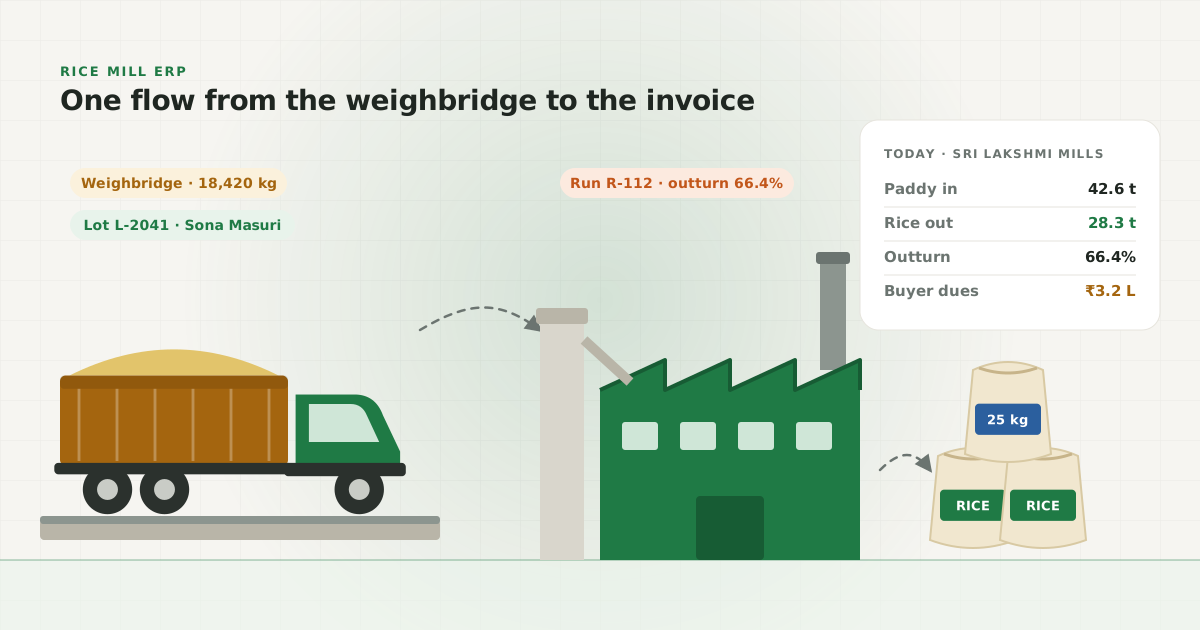
Most rice mill software in India is accounting software with a few extra screens. That misses the point. The money in a rice mill is made or lost long before the invoice: at the weighbridge, where moisture is measured and the rate is fixed; in the milling shed, where outturn is decided; and in the godown, where stock ages or goes missing. A rice mill ERP has to start there.
Grano is built around one rule: stock and money are ledgers of movements, never totals that someone types. A purchase adds paddy to a godown and posts the supplier payable. A milling run takes paddy out of a lot and puts rice, broken, bran and husk in. A sale or dispatch takes product out of a godown and posts the customer receivable. The balance you see on any screen is simply the sum of those rows, so the godown keeper, the manager and the accountant are always looking at the same number.
From small raw-rice mills to multi-branch parboiled units
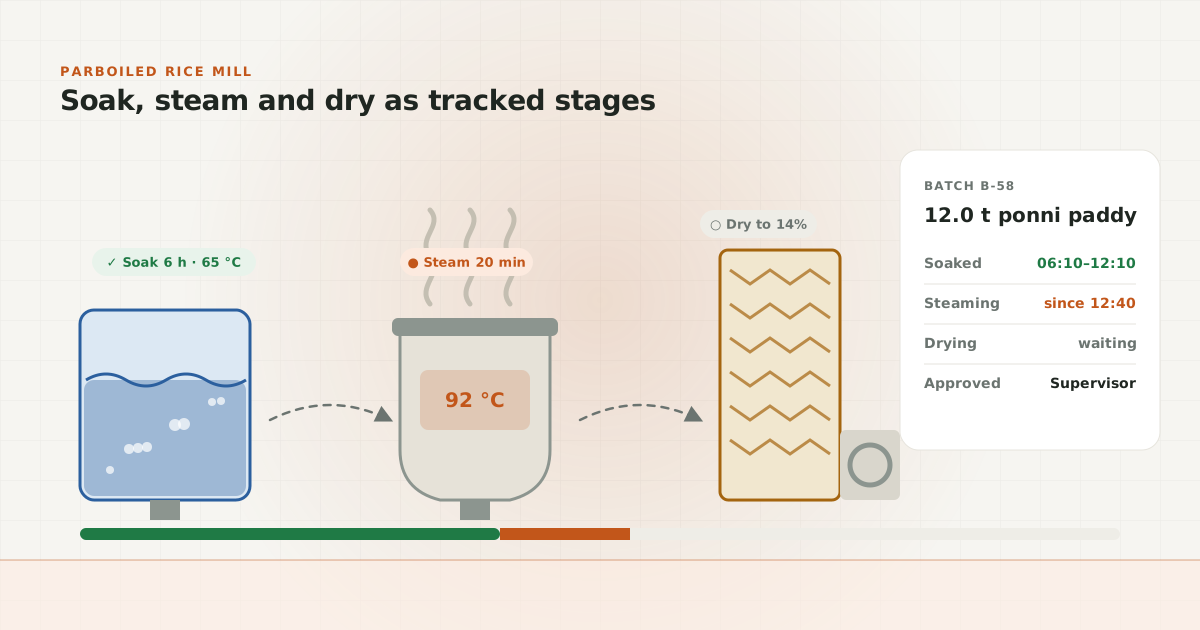
A small raw-rice mill doing a few lorries a day needs fast purchase entry, a lot per load, clean stock and a customer ledger. A large parboiled unit needs much more: soaking, steaming and drying as tracked stages, approvals by a supervisor, packing into bags, stock reserved against orders and several branches reporting to one owner. Grano covers both with the same app – features are switched on per mill, not sold as a different product.
- Lots with full genealogy: paddy lot → milling run → rice lot, with split and merge when stacks are combined.
- Quality and moisture deduction rules per variety, with grade rates so every operator quotes the same price.
- Roles for owner, manager, accountant, operator and staff – the owner decides who sees money and who only sees quantities.
- No hard deletes: a wrong entry is voided with a reason, who did it and when, and the audit log keeps the trail.
- Reports on yield, GST (GSTR-1, 3B, HSN) and per-branch performance for mills with more than one unit.
What it costs and what you need
Grano runs in the browser and installs on a phone like an app, so there is no server to buy and nothing to install in the office. It is designed for a cheap Android phone on a weak 3G connection inside a godown. Plans start from ₹4,999/month, and Pro adds process stages, packing, maintenance and enquiries for larger mills.
As an illustration of why outturn tracking matters: if a mill processes 5,000 tonnes of paddy in a year, one percentage point of outturn is 50 tonnes of rice. Seeing a weak run the same evening, instead of at the end of the season, is the whole case for a rice mill ERP. The rest – cleaner dues, faster month-end and a Tally export your auditor accepts – comes along with it.
How do you calculate rice outturn?
Outturn is the weight of rice that comes out of a run, divided by the weight of paddy that went in, multiplied by 100. Most mills track two numbers: head rice outturn (whole grains only) and total rice outturn (head rice plus broken). By-products are measured too, because whatever is not accounted for as rice, broken, bran or husk is loss.
A worked example. A run takes 10,000 kg of paddy from two lots. It gives 6,400 kg of head rice, 600 kg of broken, 800 kg of bran and 2,000 kg of husk. Head rice outturn is 64%. Total rice outturn is 70%. The four outputs add up to 9,800 kg, so 200 kg – 2% – is unrecorded loss. If last week's runs on the same variety gave 66% head rice, that 2-point gap is 200 kg of head rice on this run alone.
- Weigh what goes in from the lots, not from memory – Grano takes it from the paddy lots picked for the run.
- Record every output, including husk and bran, so loss is a number and not a guess.
- Compare like with like: the same variety, the same machine, raw against raw and parboiled against parboiled.
- Look at it the same day. Grano's yield report and low-outturn alert show a weak run while the shift still remembers it.
A typical day in a mill running Grano
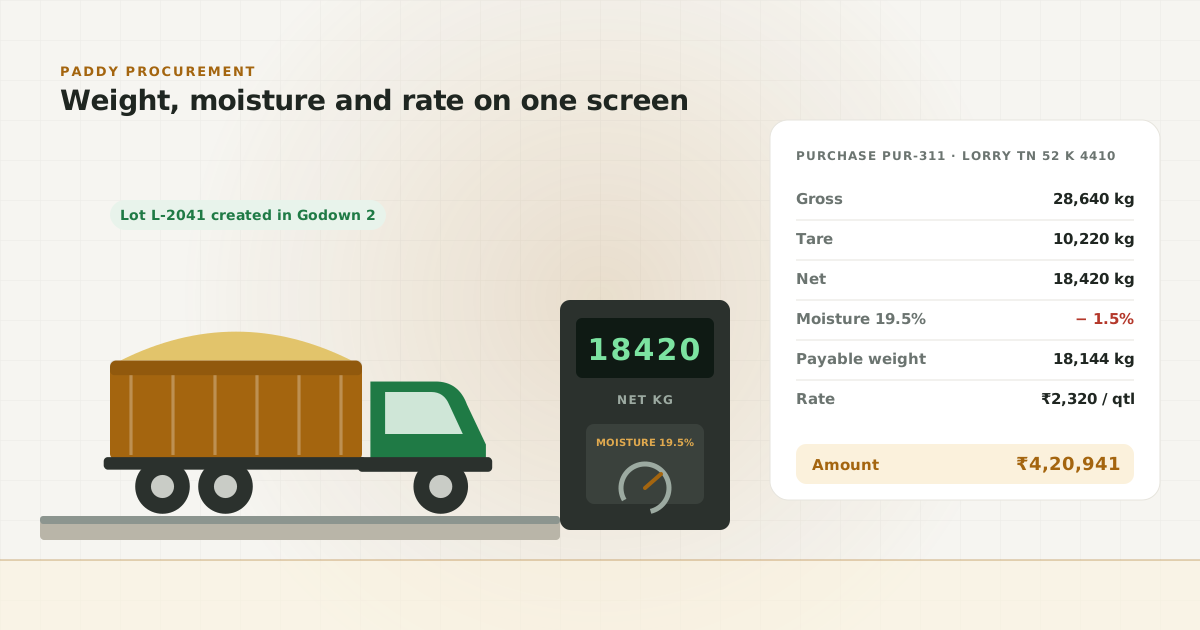
At 7 am the gate operator weighs the first lorry. Gross and tare go in, moisture and grade are recorded, and the paddy lot is created in godown 2, stack B. The farmer gets a WhatsApp receipt before the empty lorry leaves. The operator works in Tamil; the owner reads the same entry in English.
By mid-morning the shed supervisor starts a milling run, picks the lots going in and records the outputs at the end of the shift. In the afternoon the godown keeper dispatches 300 bags against a buyer's order, and the GST invoice is made from that dispatch. The accountant enters two supplier payments and a customer receipt. In the evening the owner opens the dashboard on his phone: today's purchases, stock by godown, the day's outturn, buyers who are overdue and suppliers who are due. Nobody had to send him a summary.
Starting from notebooks and Tally: a checklist
Most mills come to Grano from a mix of notebooks, weighbridge slips and Tally. The move is easier if you do it in a fixed order and pick a clean start date, such as the first day of a month or a season.
- List your godowns and stacks as they are on the ground, not as they were five years ago.
- Import suppliers, buyers and products from CSV or Tally XML instead of typing them.
- Count stock on the start date and enter it as opening stock per godown and stack.
- Enter opening balances for suppliers and buyers from your current books.
- Set your moisture deduction rule and grade rates per variety before the first lorry.
- Decide who sees money: give gate and godown staff the operator or staff role.
- Run one week with the notebook alongside, then stop the notebook.
The common mistake is starting without opening stock. Every report after that is wrong by the same amount, and people stop trusting the numbers. Count first, then start.